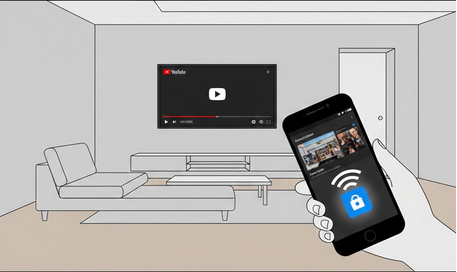
Certainly, it is an absolutely different level of enjoyment when watching YouTube videos. Due to the casting technology, you will be able to see the videos on the TV screen via your Android smartphone without connecting your TV to the source via wires. No matter what kind of videos you prefer: movies, tutorials, or music videos, now you will be able to see them with the best sound provided by your TV screen.
What Is Casting
It is the technology, thanks to which you will be able to stream your content from the phone to the receiver. In other words, your phone will become a remote control and your TV screen will show your video. Because of the casting technology, you will be able to use other applications of your phone during the time when you are watching a video on your TV screen. It is enough just to use the Wi-Fi connection.
Devices for Casting Videos from Android
There are numerous devices and Smart TVs supporting the video casting from Android phone.
- Chromecast – This is the device created specially for video casting and produced by Google company. The mounting of Chromecast into any TV with HDMI input ports is very easy.
- Smart TVs – Almost all Smart TVs by Samsung, LG, Sony, and others are compatible with the video casting.
- Android TV – All devices with Android TV and Google TV are compatible with video casting of YouTube videos from the phone.
- Fire TV Stick – The streaming device by Amazon supporting video casting of YouTube videos via YouTube application.
- Game consoles – YouTube videos may be casted onto PlayStation and Xbox game consoles via special applications.
Casting Video from YouTube Application
Wi-Fi connection – connect both devices to the same Wi-Fi network.
Open YouTube app on your Android phone.
Press the cast button at the top of the screen.
Choose your TV or streaming device from the list of available devices.
Press the play button of any video – it will be played on your TV screen, and your phone will work as a remote control.
Casting YouTube Vanced
YouTube Vanced is the application providing video casting to Chromecast or any other device with such functionality. With this app, you will be able to enjoy all the advantages of the official YouTube app but browse your video library without seeing any ads on your phone. Please pay attention that you may still see some ads in YouTube TV app depending on the settings.
To get the full access to the account and to be able to cast your playlists and subscriptions, you will need to install Vanced MicroG to authenticate yourself on Google.
Solving Problems with Casting
Same network – make sure that both your devices are connected to the same Wi-Fi network, otherwise, they will not be able to discover each other.
Restart your devices – restart your phone, TV, and Wi-Fi router in case there is no cast button.
App updates – check whether the YouTube and TV firmware are up-to-date.
Allowing local network access – allow the YouTube app to use the local network access in your phone settings.
Do not use the VPN – it may affect the device discovery.
Who Will Benefit from Casting YouTube?
Families – in case the members of your family want to watch videos together on the big screen.
Music fans – for people who want to listen to YouTube music with the help of sound system of your TV.
Tutorial viewers – for people who watch tutorial videos about cooking, exercising, and other.
Movie viewers – for people who like to watch long videos on the big screen.
Conclusion
Casting YouTube videos from your Android phone to your TV is the easiest way to improve the quality of your watching experience. You will need just several seconds and you will be able to watch any video on the big screen. It does not matter whether you use the official YouTube application or YouTube Vanced for the better experience – with casting the videos will look the best you’ve ever seen before.